Scattered tools, unified
Every feature is validated at production-grade depth. Develop and operate in one place without jumping between windows.
Zero remote installs — only sshd on the server
To use AI through VS Code Remote-SSH, you have to install AI CLIs like Claude Code and Codex plus extensions and a runtime (Node) on every remote machine. Each time you switch servers you repeat the install and login, and on air-gapped networks or servers without install permissions you can get blocked. Blyck runs Claude Code and Codex locally, so nothing is installed on the remote server. The AI runs on your PC, file operations go over SFTP, and commands go over SSH. The only server requirement is sshd.
You don’t install Claude Code or Codex on the remote server. They run locally and dispatch work over SSH and SFTP.
No need to drop API keys or login sessions on every server, keeping security management clean.
No agent processes or caches are created on the remote. Air-gapped networks and servers without install permissions work as-is.
Heavy tasks like large-scale search and builds are run by sending commands over SSH. For typical editing and operations work, this approach is far lighter.
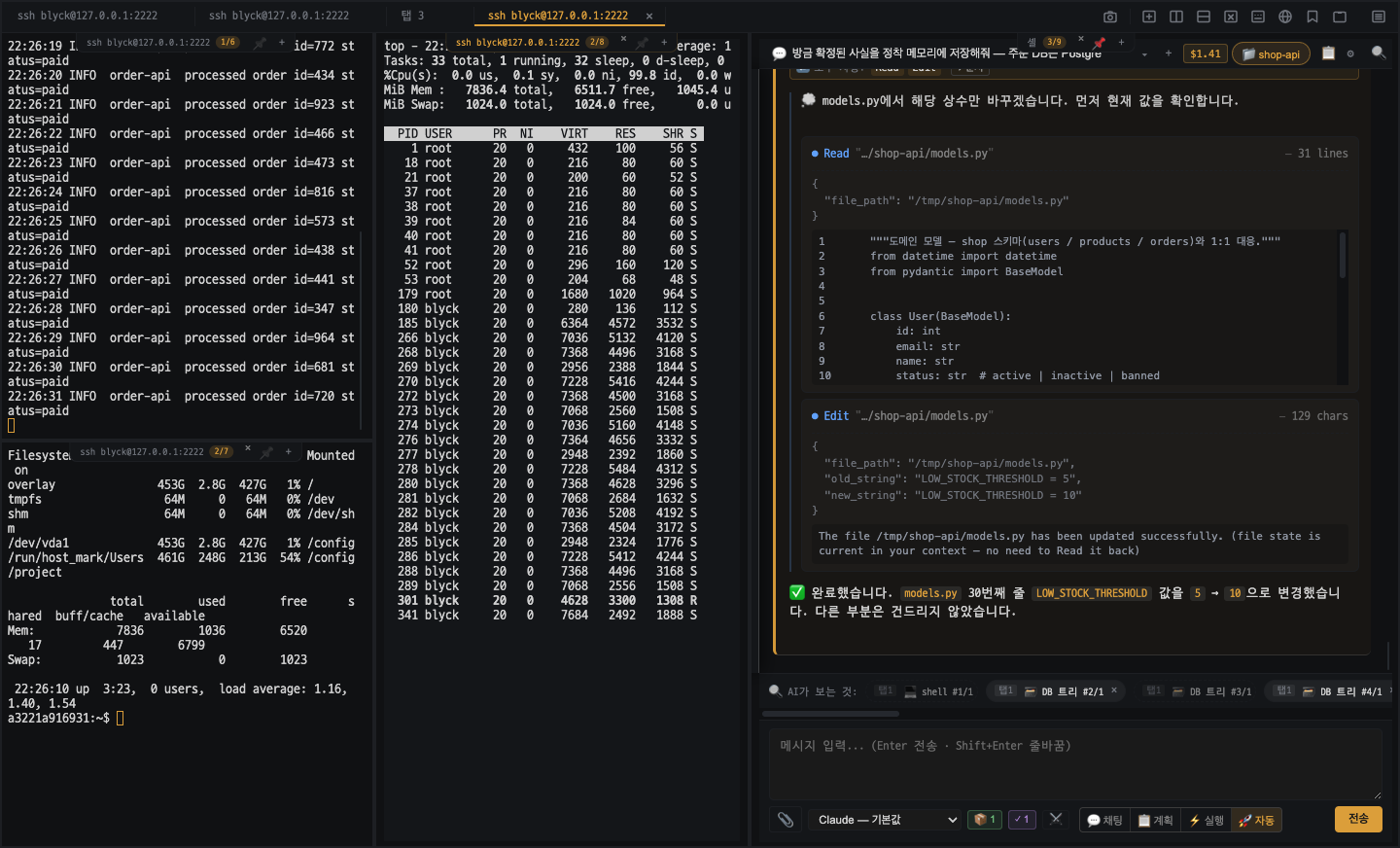
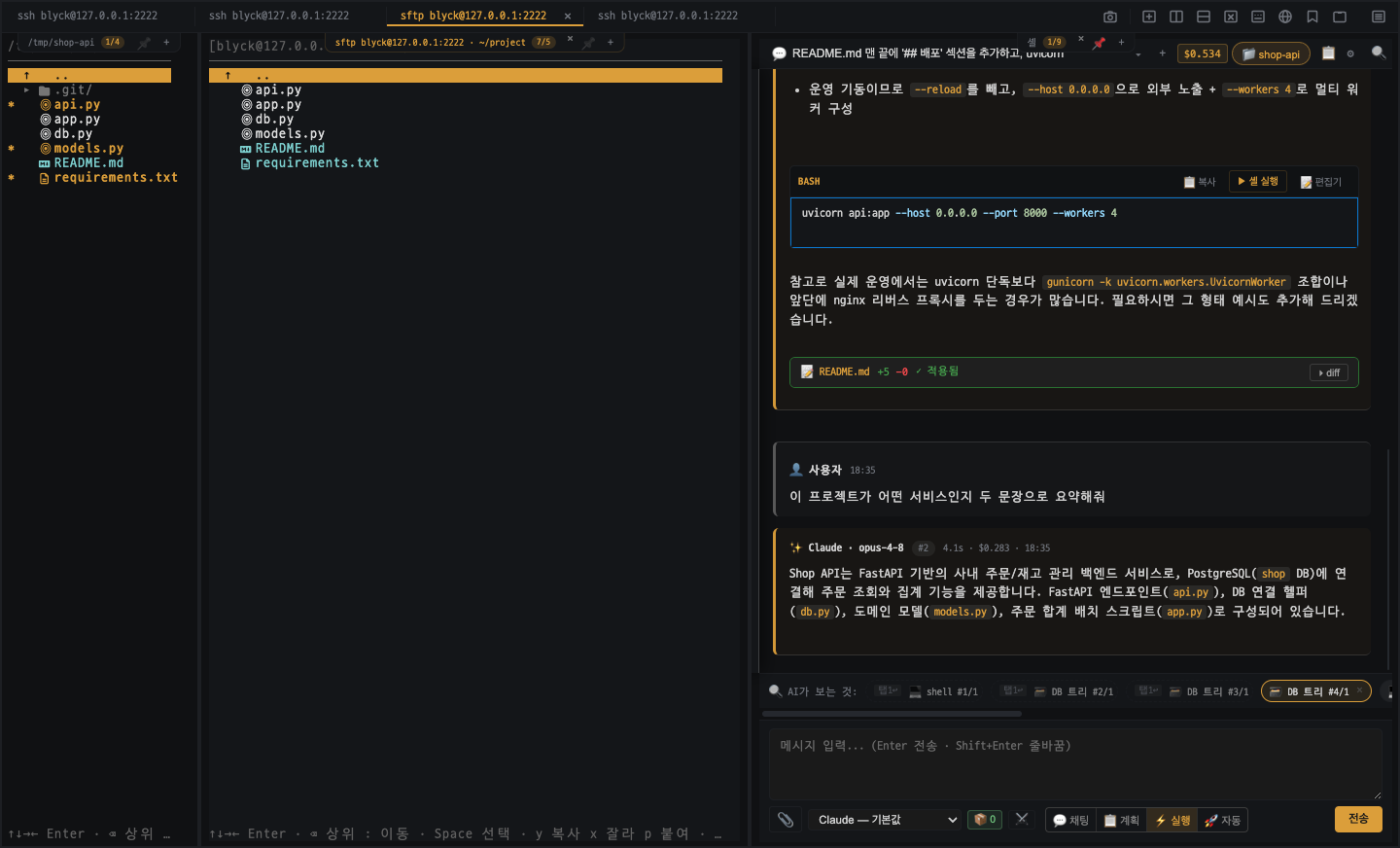
Terminal · SSH · SFTP
Only sshd on the remote — zero install. Split multiple SSH sessions with auto-reconnect, no broken Korean text, plus SFTP file management.
- ✓ Zero remote install — run Claude Code and Codex locally, only sshd on the server (works on air-gapped or no-install-permission servers too)
- ✓ Split multiple SSH sessions + auto-reconnect on drops
- ✓ No garbled Korean output (-EncodedCommand handling)
- ✓ Saved connection profiles, SFTP file CRUD
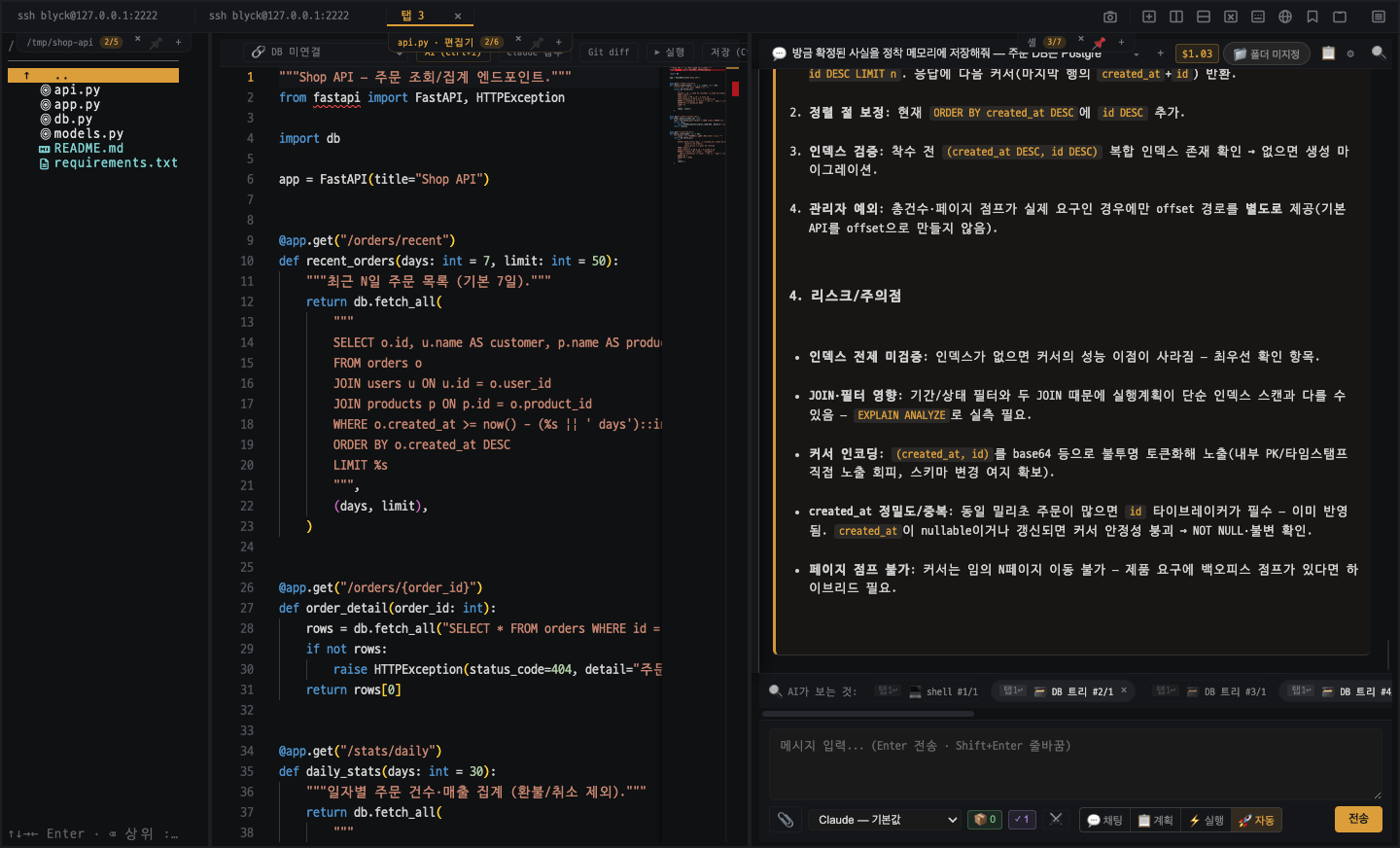
Code Editor
Monaco-based LSP for 14 languages, inline AI (Ctrl+I) + RAG, diff Apply/Reject, remote editing.
- ✓ Monaco + LSP for 14 languages
- ✓ Inline AI (Ctrl+I) + RAG context injection
- ✓ diff Apply/Reject, image and PDF viewer, SFTP remote editing
Remote Desktop · VNC · WinRM
VNC screen control and file transfer, WinRM remote PowerShell, and a desktop mirror that pulls another app screen into a panel.
- ✓ VNC viewer — screen control + file upload/download + capture
- ✓ WinRM — remote PowerShell execution on Windows servers
- ✓ Desktop mirror — bring another app screen into a panel, AI Vision diagnostics
AI Chat
Multi-turn streaming with Claude and Codex, an agent that directly drives panels, DB, SSH, and files via the MCP bridge.
- ✓ Claude + Codex, multi-turn streaming
- ✓ MCP bridge (40~60 tools for panel/db/ssh/file/preview and more)
- ✓ Agent mode to directly manipulate the workspace
- ✓ Background Tasks — up to 5 concurrent AI jobs independent of chat
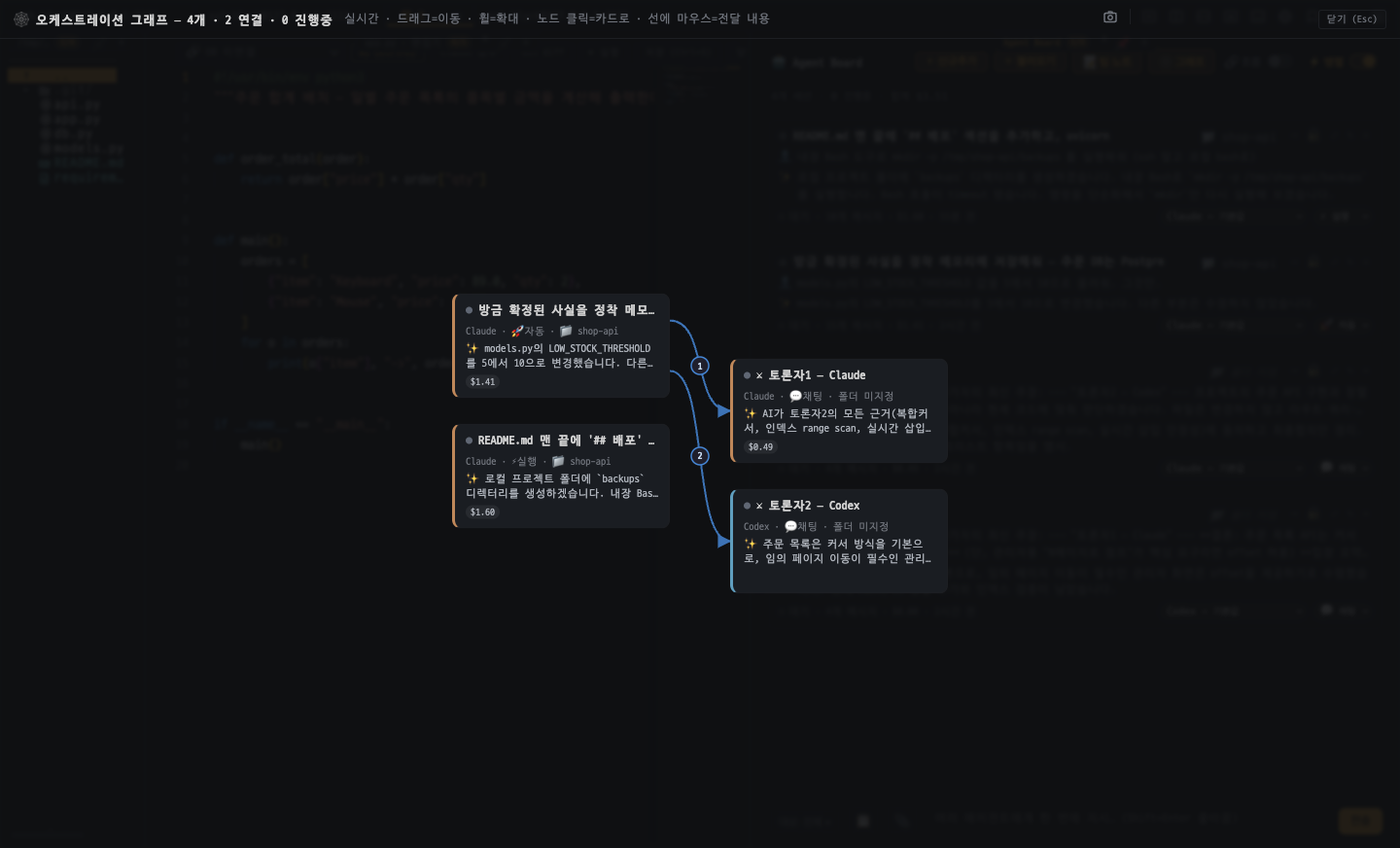
Multi-Session Agent Board
Orchestrate multiple AI agents on one board — split work across a team, let the run queue prevent conflicts, and approve everything in one place.
- ✓ Multi-session board — see multiple agents (Claude, Codex) as a node/edge graph with real-time flow visualization
- ✓ Team mode — auto-relay and split work via agent_send, create role-based teammates via agent_create, peer-aware prompts
- ✓ Run queue — own-turn, same-folder serialization, provider-budget gates + a file-conflict guard keep parallel work safe
- ✓ Unified approval inbox — approve every agent's requests in one place, with per-agent SSH/DB environment isolation
- ✓ Board serialization — board, conversations, and progress are restored across restarts
Design Workbench
Sync designs from claude.ai/design and Figma and render them live with no external server — edit on the spot with AI and turn tokens and components into code.
- ✓ claude.ai/design & Codex Figma integration — pull components/screens and render live in an iframe (zero external server)
- ✓ Multi-platform preview for Web, iOS, Android and Flutter (Dart) in device frames
- ✓ AI design grounding — inject tokens/components into code generation for consistent UI code
- ✓ Token export (Flutter ThemeData, CSS variables) + visual regression checks
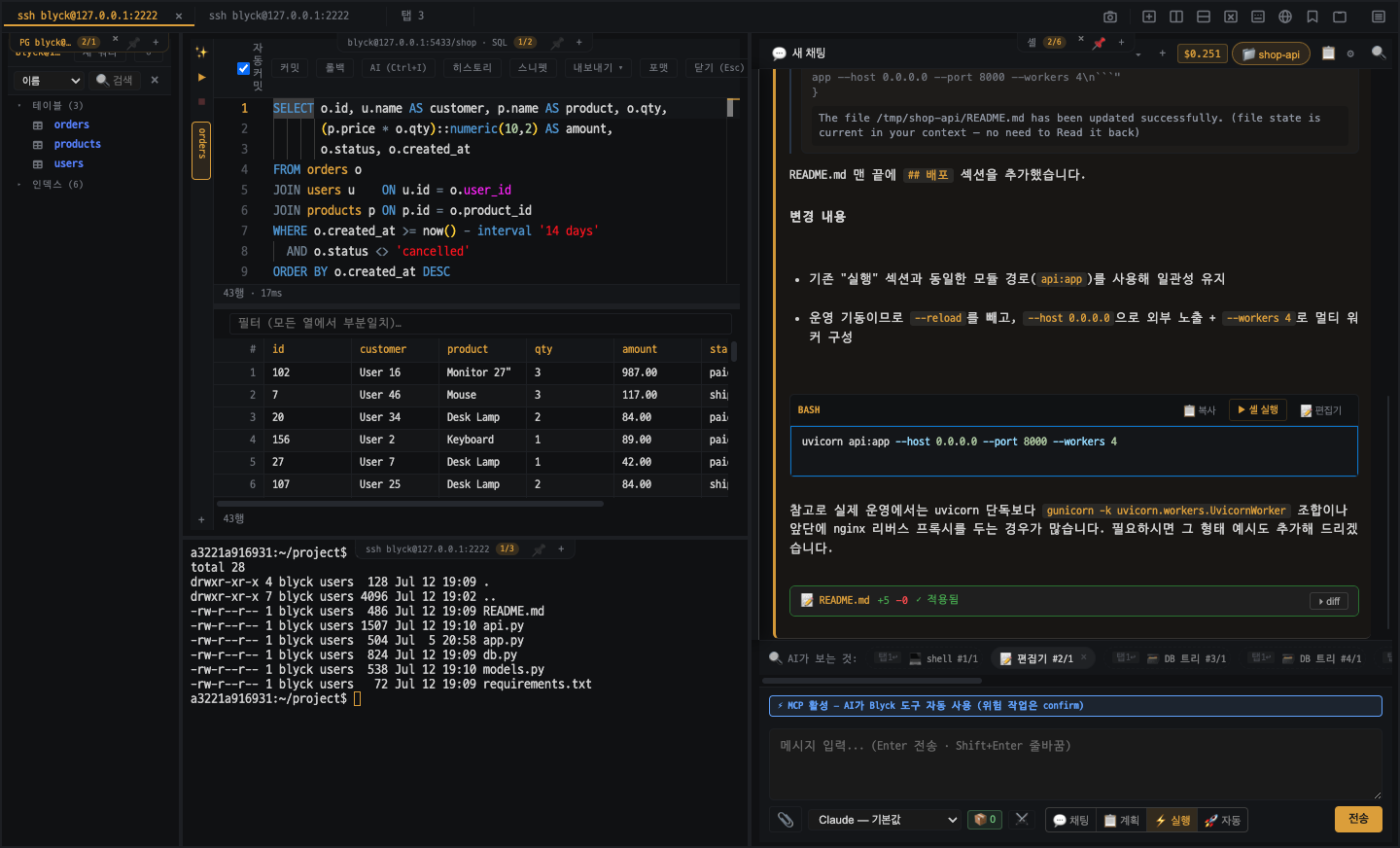
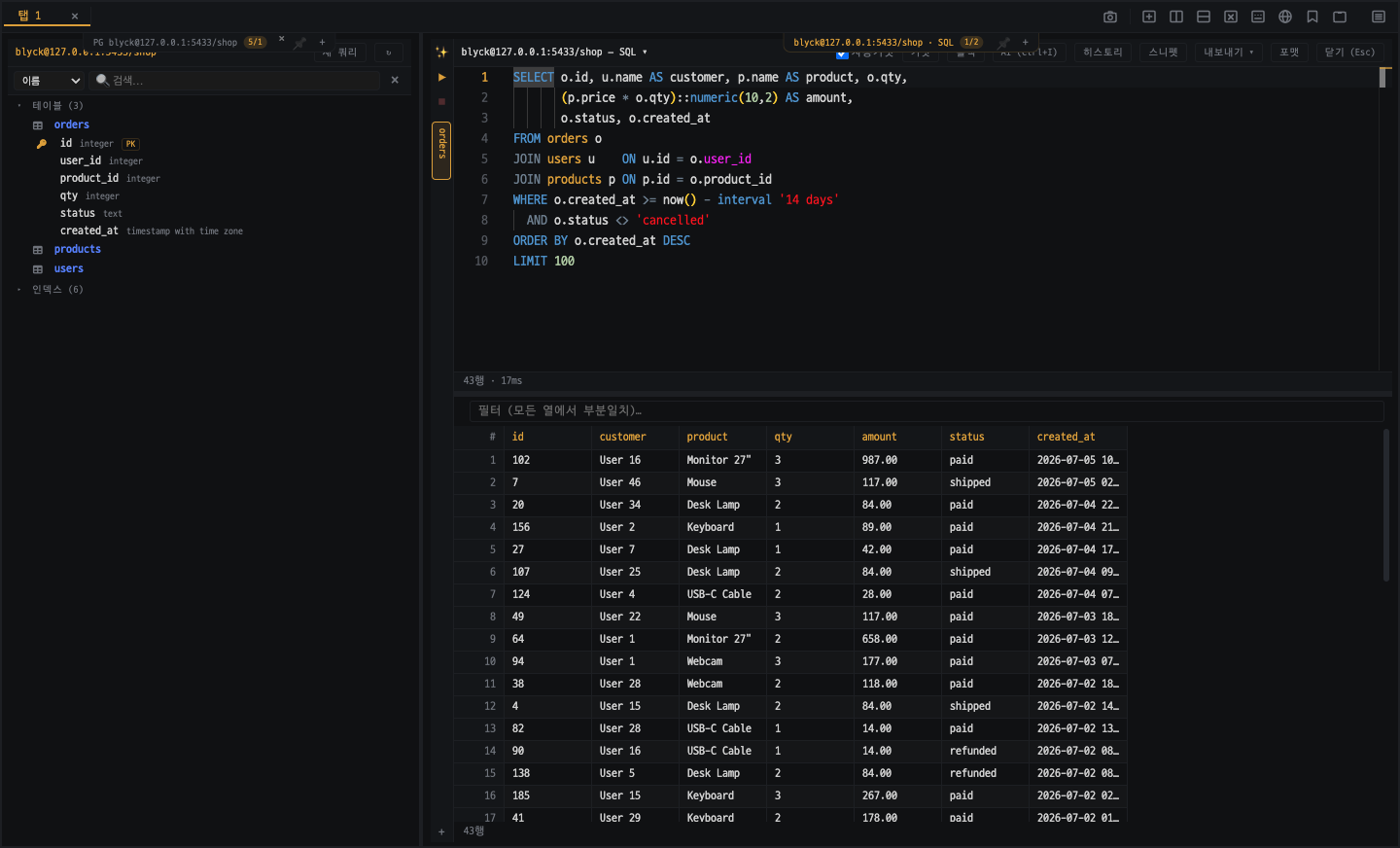
DB Client
5 engines (SQLite, Oracle, PostgreSQL, MSSQL, MySQL), NL→SQL, virtual grid, backup-table rollback.
- ✓ Unified connections across 5 engines
- ✓ Natural language → SQL, large-scale virtual scroll grid
- ✓ Transaction control + backup-table-based rollback
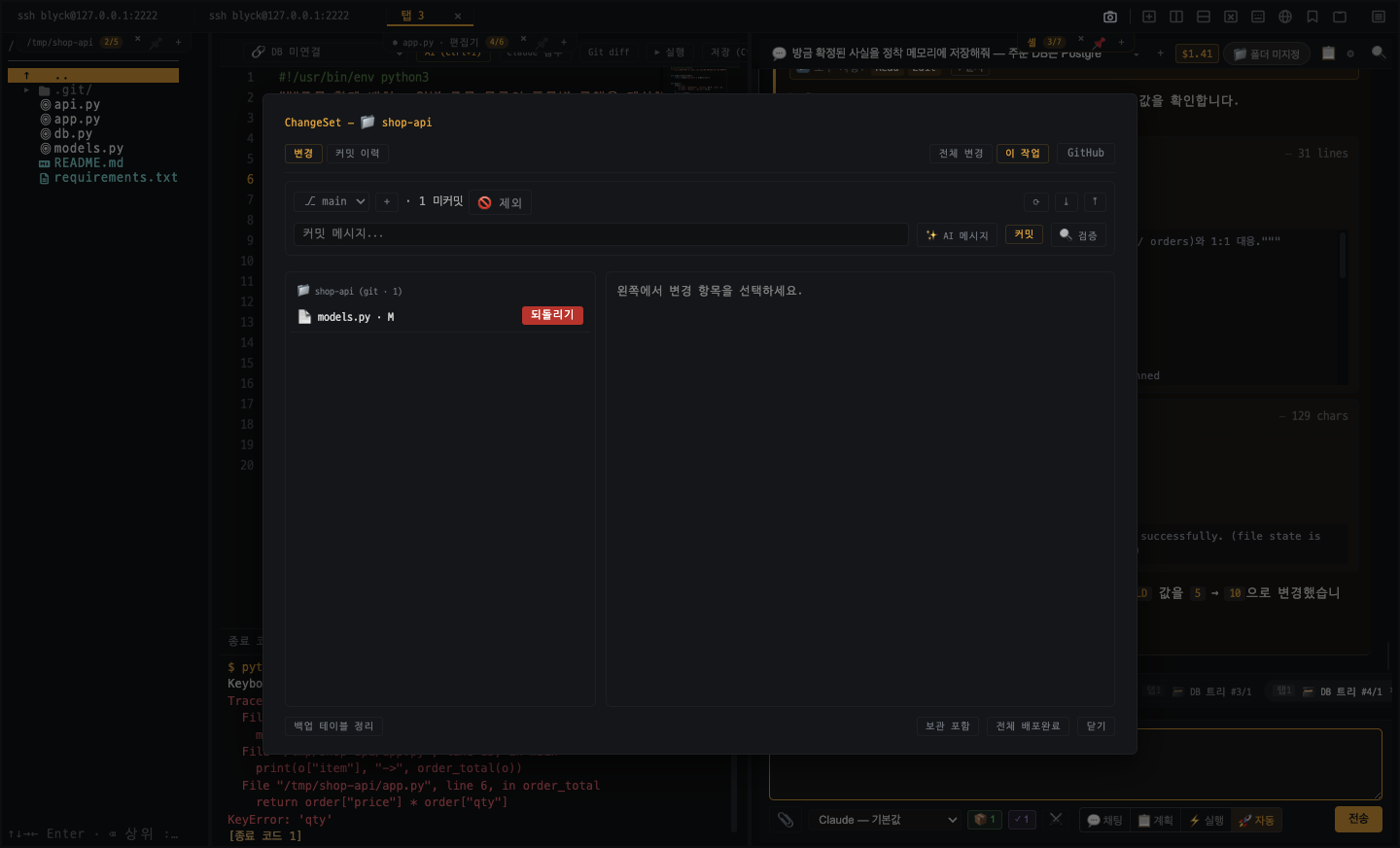
Git · ChangeSet · GitHub
Works even on PCs without git via the MinGit bundle, change tracking and revert, GitHub OAuth integration.
- ✓ MinGit bundle — works even on PCs without git installed
- ✓ ChangeSet change tracking and revert
- ✓ Work history logging + git checkpoint restore
- ✓ GitHub OAuth publish / clone
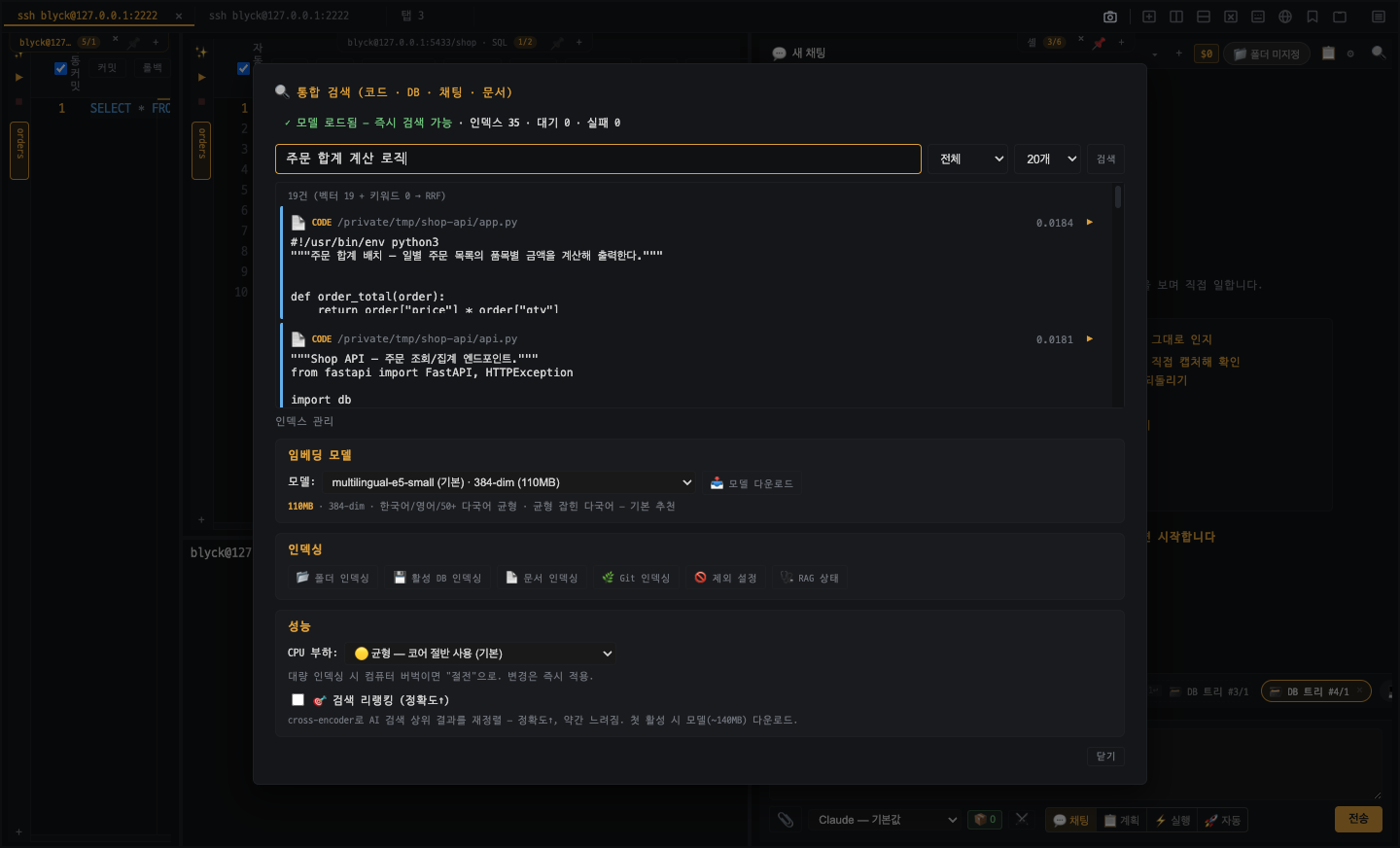
RAG Search
Hybrid search + reranking across 6 sources (code, DB, Git, chat, history, docs), privacy via local embeddings.
- ✓ sqlite-vec-based hybrid search across 6 sources
- ✓ Semantic + keyword combined + reranking
- ✓ Local embeddings — your code never leaves the machine
Run & Observe · Live Preview
Run programs → editor error markers, embedded dev server preview + AI vision verification.
- ✓ Trace run-result errors back to editor markers
- ✓ Embedded dev server Live Preview
- ✓ AI vision verification — screenshots, console, visual regression
- ✓ Per-chat Python virtual environment — run code, auto-install packages
AI Debug Bridge
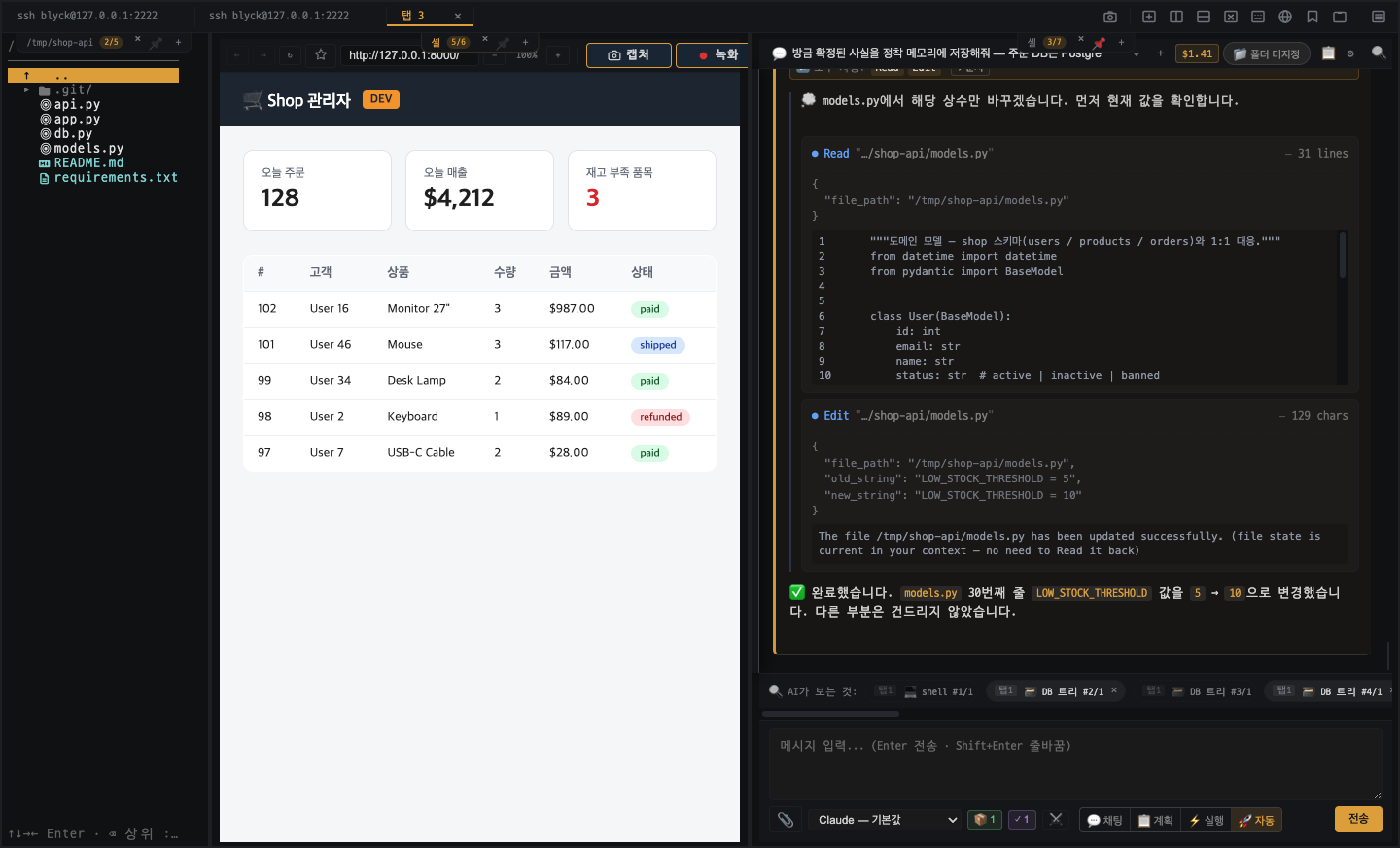
A unified debugging channel for vibe coding — AI reads structured @BLYCK@ logs directly and fixes issues without guessing or copy-paste. Common across web, server, mobile, and console.
- ✓ Standard debug line @BLYCK@ {label,vals,level,loc} — one format for every platform
- ✓ AI observes runtime values directly via debug_read (zero need for humans to copy-paste the console)
- ✓ 11-language helpers (debug_shim) + format-guaranteed probes (debug_probe) — auto no-op in release builds
- ✓ AI auto-investigates on errors and asserts (Mode B, OFF by default, 4-layer safety)
- ✓ Ctrl+Shift+D live debug panel — humans see the same stream the AI sees, in real time
Agent Memory
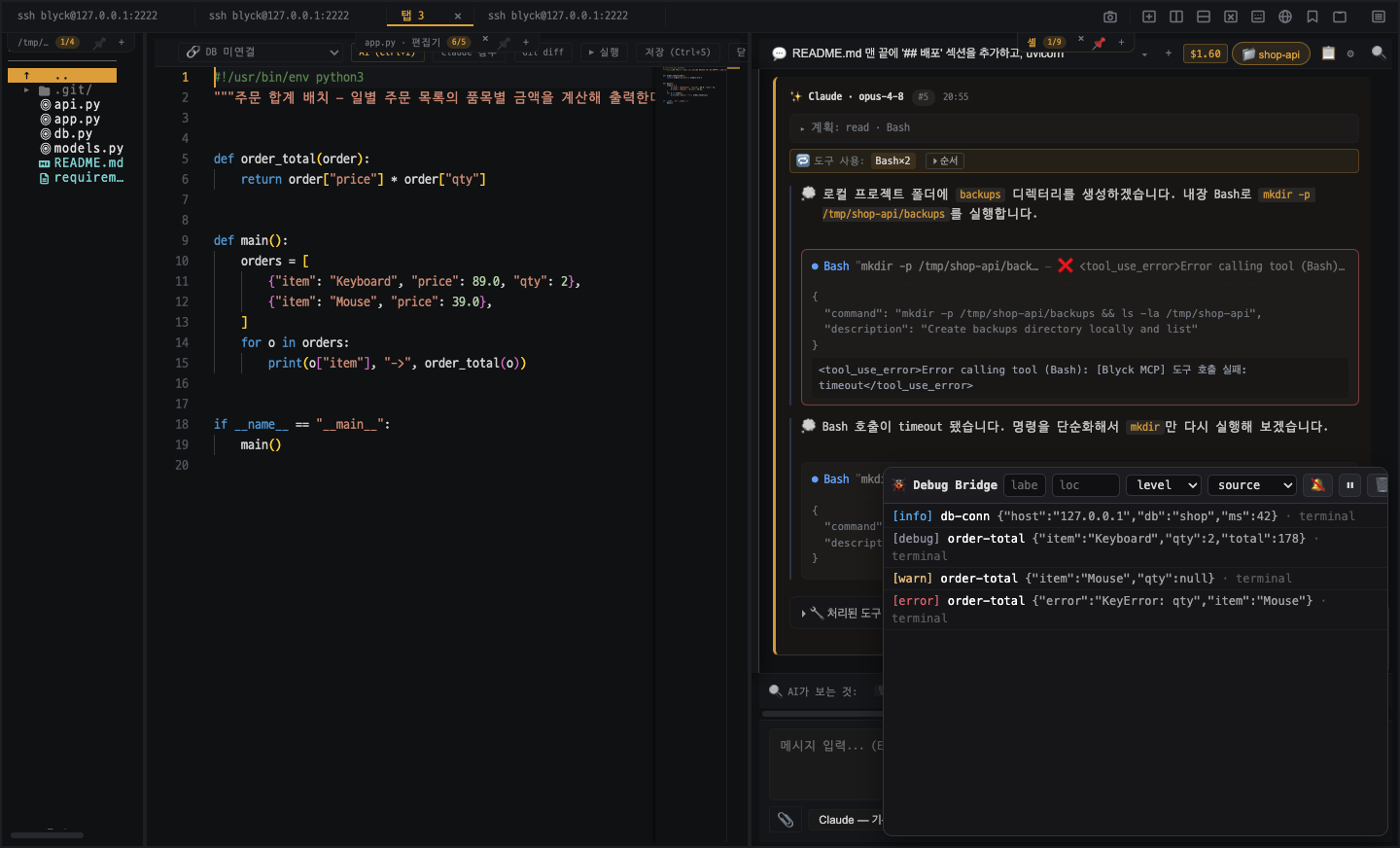
The AI remembers the capabilities, rules, and facts it verified in this workbench and reuses them automatically next session — exact-match memory, complementing RAG.
- ✓ Store verified capabilities, rules, and facts in exact-match memory (a counterpart to RAG fuzzy search)
- ✓ Successful actions (deploy, build, DB connect) auto-promoted to capability candidates (approval gate)
- ✓ Relevant memories auto-injected into the next session — prevents false "I can't do that" calls
- ✓ Stale memories auto-pruned (decay); capabilities and rules are preserved
Backup · Migration (Export/Import)
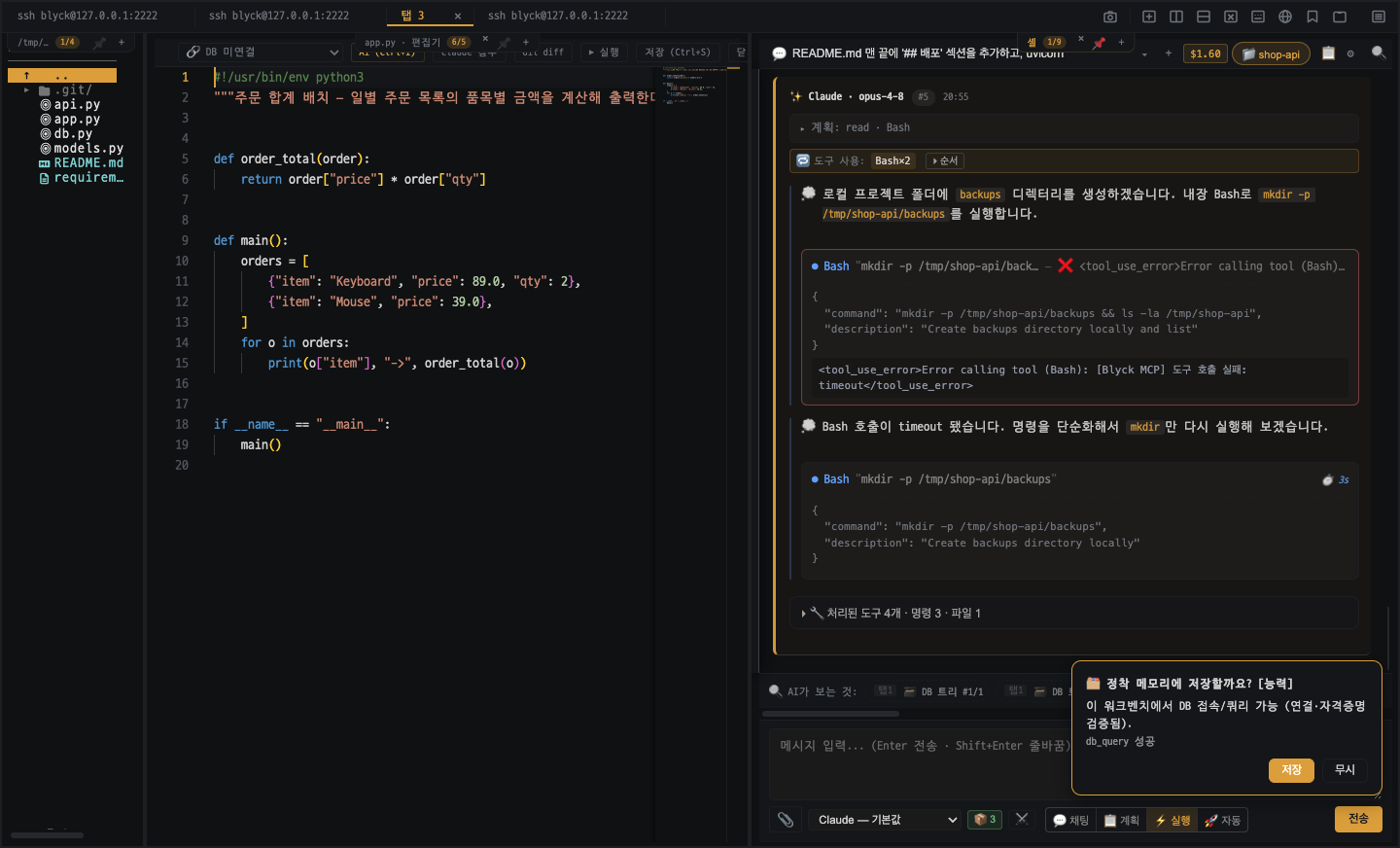
Move your whole environment between PCs in one click — chat history and settings intact, paths auto-converted (Win↔Mac), passwords safe inside an encrypted bundle.
- ✓ Export/import chat history, settings, and connections as a .blyckbundle
- ✓ Automatic path remapping — Windows↔macOS, 4 directions, chat history carries over
- ✓ AES-256-GCM encrypted bundle — safely includes DB/SSH passwords and GitHub token
- ✓ Merge mode — add to an existing install without replacing, auto-backup before import
Platform · Distribution
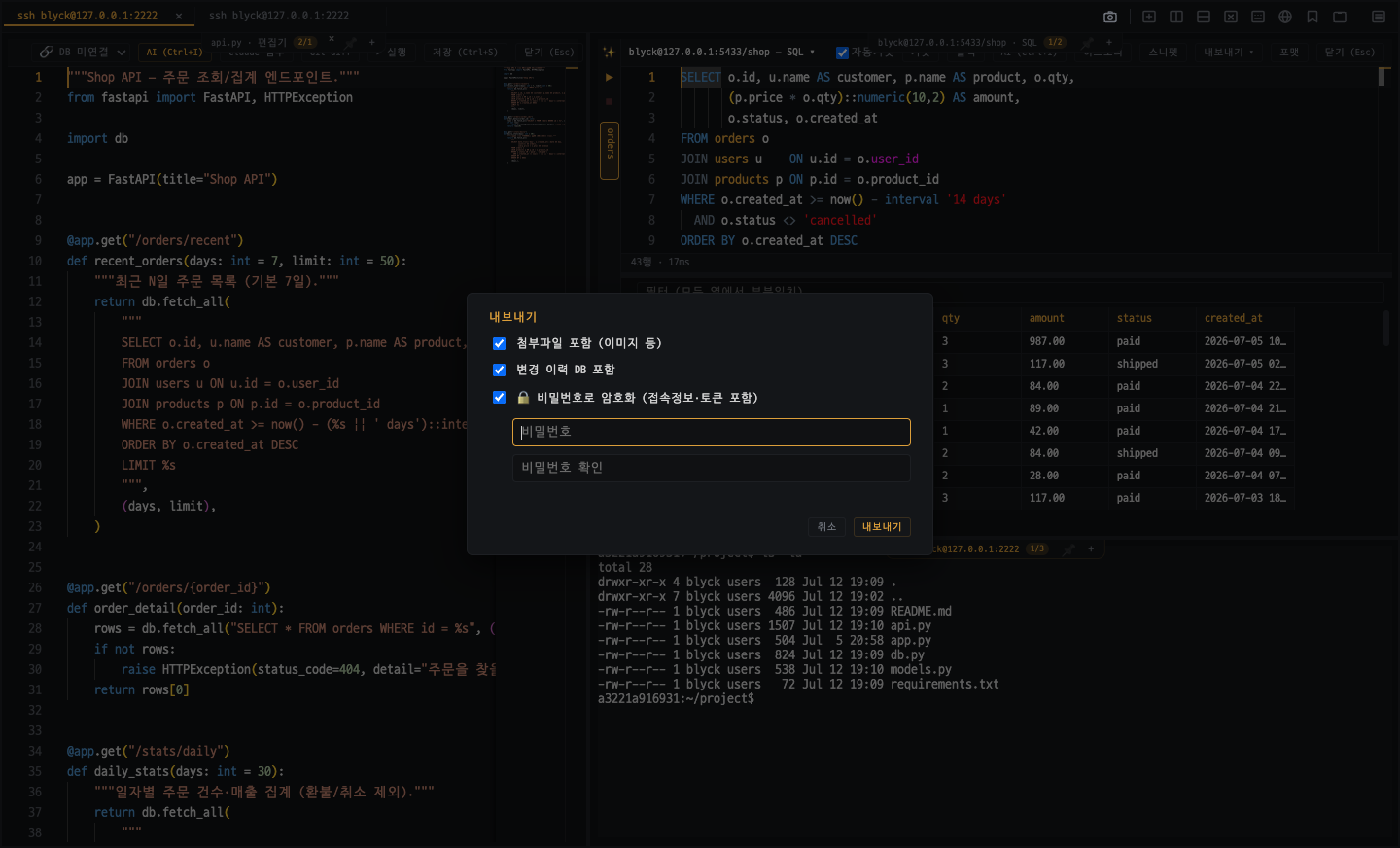
Auto-update, license management, 7-language localization — native Windows and macOS desktop.
- ✓ Auto-update (update.blyck.dev)
- ✓ License management (7-day grace)
- ✓ i18n in 7 languages, Windows and macOS support
The fastest way is to try it yourself
Open up every feature with a 14-day free trial.